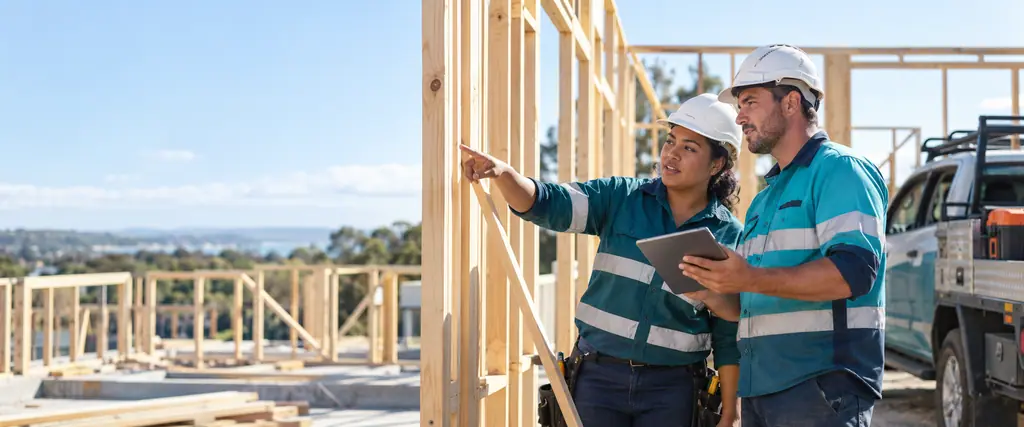
Who this is for
We build and connect software for trades and construction businesses: a residential builder running several sites, an electrical contractor with vans on the road, a plumbing business taking urgent call-outs, a landscaper quoting from the ute, and a small commercial construction company managing subcontractors.
The work happens on site, but the paperwork piles up in the office and on the kitchen table. Quotes are written at night, job details live in text messages, photos stay on someone's phone, and invoices go out late because nobody has matched the timesheets and materials to the job. The owner is often the scheduler, estimator and bookkeeper as well.
Good software gives that time back. Sometimes the answer is a packaged job management product, set up properly and connected to your accounts. Sometimes your way of working needs custom software or a mobile app for the crew. We do both, and we say which one we would choose in your position.
Common technology challenges on the tools
- Quotes that take evenings to prepare and are hard to follow up
- Job details, variations and site photos scattered across texts, emails and paper
- Double entry between the job system, timesheets and Xero or MYOB
- Schedules kept on a whiteboard, so changes do not reach the crew in time
- Paper forms for site inductions, safety checks and sign-offs that go missing or come back unreadable
- Subcontractor payments that are hard to total at the end of the financial year
- Poor mobile reception on site, which makes web-only tools unreliable
- No clear view of which jobs made money once labour and materials are counted
How we help trades and construction businesses
Custom software
Quoting, scheduling, job costing and progress claims built around how your business runs, for when packaged products force workarounds.
Mobile apps
A Flutter app for iPhone and Android where crews see the day's jobs, record time and materials, take photos and collect signatures, including when reception drops.
Business systems and integrations
Your job management system, timesheets and Xero or MYOB connected, so an approved quote becomes a job and then an invoice without retyping.
Digital transformation
Paper inductions, checklists and sign-offs replaced with digital forms that are dated, legible and filed against the job automatically.
Websites
A clear, fast website showing your services and service areas, with an enquiry or booking form that drops straight into your job system.
Data and dashboards
Margin by job, quoted hours against actual hours, work in hand and outstanding invoices on one screen.
A typical project for a trade or construction business
| Stage | What happens |
|---|---|
| 1. Discovery call | A free conversation, at a time that suits a working day, about how a job runs from first call to final payment and where the hours go. |
| 2. Plan and quote | A written plan and a fixed or staged quote agreed before work starts. Where a packaged product will do the job, we say so. |
| 3. Build and test | Delivered in stages with regular demos. We test with real quotes and jobs, and a small group of your crew tries the app on site, including where reception is poor. |
| 4. Launch and train | Customers, price lists and open jobs are migrated. Training is short and practical: in the office for administration, on a phone for the crew. |
| 5. Ongoing support | Monitoring, updates and help, with changes as you add services, crews or new types of work. |
Commonly integrated systems
Most trades businesses already pay for useful tools, and the gain is in joining them up. These are commonly integrated examples, and we have no commercial tie to any of them. An API is the documented way a product lets other programs read and write its data.
- ServiceM8 and Simpro for job management and field service
- Buildxact for estimating and project management
- Xero and MYOB for accounting, invoicing and payroll
- Deputy for rosters and timesheets, and Employment Hero for payroll and HR
- Stripe and Square for card payments on site and online
- Microsoft 365 and Google Workspace for email, calendars and shared documents
Australian reporting and record keeping
Contractor payments. The ATO says businesses that make payments to contractors may need to report them in a Taxable payments annual report (TPAR), which must be lodged by 28 August each year. Building and construction is one of the services covered, and the ATO's page on building and construction services explains who must lodge. Payments made to employees are not reported in a TPAR. A job system that records each subcontractor payment as it is made turns the report into a list you can run. Your tax or BAS agent can confirm whether you need to lodge.
Payroll and employee records. The ATO says that with Single Touch Payroll you report employees' payroll information each time you pay them, through STP-enabled software. The Fair Work Ombudsman says employers have to keep time and wages records for 7 years, and that the records have to be legible, in English and readily accessible to a Fair Work Inspector. Digital timesheets that feed your payroll software make both easier than paper.
Business records. The ATO says you need to keep most records for 5 years, and that records must be in English or able to be easily converted to English. Licensing and safety rules for your trade are outside this summary. Tell us what your regulator requires and we build the forms and records to match.
Questions from trades and construction businesses
Should we use a packaged job management product or have something built?
Start with a packaged product if it fits how you quote, schedule and invoice. Custom software makes sense when you have outgrown workarounds, for example with unusual pricing, progress claims or several business units. We can compare the options for you as an independent IT consulting job.
Will an app work on sites with no reception?
It can. We design field apps to hold the day's jobs on the phone, let the crew keep recording time, notes and photos offline, and sync when a connection returns. We test this on site before launch.
Can you connect our job system to Xero or MYOB?
In most cases, yes. We check what each product allows through its API, then set up customers, invoices and payments to pass between them so nothing is typed twice. See business systems and integrations.
Our crew are not keen on new software. How do you handle that?
We keep the app to what the crew needs: today's jobs, time, photos and forms. A couple of your people test it during the build, and training happens on their own phones. Fewer taps matter more than more features.
Can you replace our paper site forms?
Yes. Inductions, pre-start checks, safety checklists and variation approvals become digital forms with required fields, photos and signatures, filed against the job. The content of each form should come from you and your safety adviser. See digital transformation.
Do we own the software you build?
Yes. You own the code, data and documentation, and accounts are opened in your name. Ask for a free quote to get started.